Showing posts with label usability. Show all posts

Saturday, 1 February 2025

USE CASES in UX


Use cases flow chart


Image by Gerd Altmann Pixabay

Updated on 4 Feb 2025 

An Introduction


A “Use case” is a term used widely in various contexts. In business, it is often used in reference to a business case, a process or a scenario that can be implemented as a product or part of that product. Referring to the context of User Experience (UX), a Use Case is a documentation highlighting the possible interactions between the users and the system.
Use Cases give us a precise idea about how the users should be able to make use of the product or application for the completion of the task. A Use Case depends on the “User Action” and the corresponding “System Response” to that particular action. It is a document that serves to highlight the set of actions that a user performs to achieve certain goals and the responses received from the system to the user’s action.
Use Cases in UX are an important tool for performing user research and user experience design. In a design-focused development environment, they serve to highlight the purpose and objectives of a system and its associated user roles by depicting a sequence of steps performed and the interactions towards a common, specific goal.



Importance of Use Cases

Use Cases are important because they provide information about how a system responds while it is used. They describe how the system helps the users achieve their goals. Contrary to a User Scenario, a Use Case is more orientated towards the behavior of the system rather than the user. In a Use Case, a comprehensive set of goals can be defined and an analysis can be performed as to how expensive and extensive it is vis-à-vis resource procurement, deployment and utilization to achieve the goals. In projects, Use Cases are helpful in analyzing which areas of the system need to be focused and developed and what setbacks could possibly occur while performing a task.
It is a user-centric approach: One has to state “what actions will be performed by the user” and “what result will be displayed by the system”.
It is not a system-centric approach: One does not have to specify “what inputs are fed to the system” and “what is its corresponding output”.


Share:
Continue Reading →

Thursday, 7 March 2024

UI/UX Design Books & Blog Resources Recommended for Designers

Editors note: The following article was updated on March, 2024, to offer relevant information about available UI/UX design resources and blogs.

Want to be an excellent designer? Looking for the best UI/UX books and resources? Nowhere to go or to gain the right and effective channel for becoming an outstanding UI/UX designer? Just follow me, I have compiled a list of high-profile UI/UX books, which are recommended by the major professional websites, and blogs.The topic is mainly covering UI design, UX design, and web design. Hope it is helpful and useful to you. Any resource you think it’s worth to be included, please feel free to give a message below the comment area or simply drop me a line on LinkedIn.

UX Books for Entry-level Designers

1.The Design of Everyday Things - By Donald A. Norman

Design of everyday things


It shows a teapot on the cover of the book, the teapot spout and the handle at the same side, if you tea, you are likely to burn yourself. What Norman want to tell you, the life is hard, often the "bad design" should be blamed. To learn interaction well, you must understand what’s the design requirements from people at first. As Steve Jobs said, “Design is not just what is looks like and feels like. Design is how it works.” The ultimate purpose of the designer is to make useful products, not just good-looking.


2.Don’t Make Me Think - By Steve Krug


Don’t Make Me Think - By Steve Krug

"Characters of this book, the first one is short and pithy, 200-page length, not wordy at all. You may put it devoured on a noon, perhaps before going to sleep, even on the plane, or on your way to work. (It’s more likely to read through it on the love when you get the book) " Therein, which stresses the three laws of Web Usability, the first one is - do not let me think.


3.The Non-Designer's Design Book - By Robin Williams

The Non-Designer's Design Book - By Robin Williams

Interaction designers must learn the basic knowledge of typography, no aesthetic, you can not be a good designer. In this ubiquitous creativity era, you have to make yourself be a designer.

In the eyes of Robin Williams, the design is quite simple. The book covers the four graphic design principles of C.R.A.P(Contrast, Repetition, Alignment, and Proximity), with concise, humor, and vivid language recounts the how much the changes and visible benefits brought by using these principles flexibly. In addition, it also introduces some basic knowledge about color and font, making the content more completely.


UX Books for Advanced Designers

1.
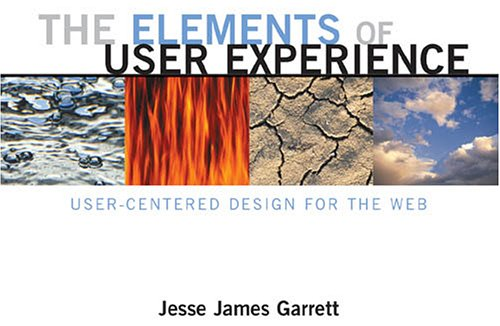
The Elements of User Experience - By Jesse James Garrett

The Elements of User Experience - By Jesse James Garrett

If all you need is a book to teach you “how to design”, there are many, many books discuss how to build a website, but this one is not you wanted. If all you need is a book to tell you about technology, you can not find a line of code here. If you want to find an answer in this book, on the contrary, this book teaches you “how to ask the right questions.”

This book will tell you what you need to know in advance before you read other books. This book is for you, if you need a great concept, and if you need to understand the environment that user experience designers make decisions.


A Project Guide to UX Design:

“If you are a young designer entering or contemplating entering the UX field this is a canonical book. If you are an organization that really needs to start grokking UX this book is also for you.”-- Chris Bernard.)


Communicating Design: Developing Web Site Documentation for Design and Planning (2nd Edition) - By Dan M. Brown
Successful web design team relies on good communication between developers and customers, but also inseparable from communication within the development team members. Dan Brown will teach you through this book, wireframes, site maps, flow charts and other design established a common language. Through it, the designers and project teams can capture ideas, track progress and always allow stakeholders to know the latest  situation of the project.


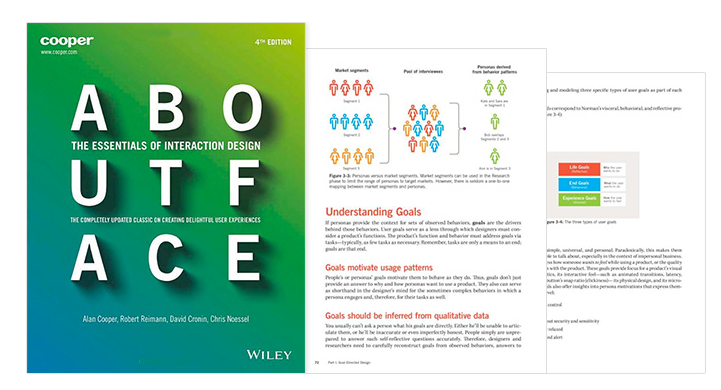
About Face: The Essentials of Interaction Design - By Alan Cooper,

As one of the must-read classic books, About Face series are worth the time to read, and each version is very valuable. As one of the instrumental books, AF brings interaction into the daily language of product design and development. Which is a comprehensive guide on interface design and interaction design of web and mobile devices. This book covers the best practices of project progress, goal-oriented design, persona development. For beginners who have no project experience, it may be very difficult, but still worth reading. We recommend cursory read at the first time and then study the rest part carefully when needed, because it involves too many details.

"If Norman is an old man telling stories, Krug is a crash expert let you simply entry design, while Cooper is a scholar, researcher, designer."


UX Websites & Blogs

1. Lukew

Lukew, a senior UX expert on digital product leader who has designed and built software used by more than one billion people worldwide also the founder of several companies.


A comprehensive website provides high-quality articles with the UX employee on Design, Coding, Mobile, and Word Press etc.


3. UXbooth

A professional UX website. The difference between it and Smashing Magazine is that UXbooth focuses more on the aspect of user experience design.


It’s a new blog with very simple and clean interface, no more distraction from advertisements or others. Articles are all surrounding the topics of design tools, UI/UX design, web design, and mobile app design. A good design topic resource to follow.

5. UXness 

The UXness Blog is your portal to a richer understanding of User Experience (UX) design. It's a treasure trove of insightful articles that dissect key topics like: UX fundamentals, Emerging UX trends, Practical UX design tips and tricks, Inspiring UX case studies, UX events, UX Tools, UX Books and UX principles and laws etc. UXness is a community of 35K+ UX enthusiasts connect across the globe and have ~2K daily article reads.  


About Author

Grace Jia
Prototyping tools, UI&UX news & information, article sharer, writer.
Email: grace@jongde.com 
Web: Mockplus
Share:
Continue Reading →

Thursday, 1 February 2024

The Best UX/UI Designer Tools, Resources, Blogs & Books Collection

Editors note: The following article was updated on March, 2024, to offer relevant information about available UI/UX design resources and blogs.


It can be intimidating to get into user experience, but don’t fear: there’s plenty of help around. To help you navigate that sea of information, we make a cool list to share with you. This list covers UX/UI blogs, resources, books and tools (in no particular order). I hope it will help you guys to get better at what you’re doing!

UX Blogs and Resources


1. Awwwards -A place to find inspiration and talent; a space for debate; a place to share knowledge and experience.

2. UX Magazine -This site creates a community with location-based listings for conferences, jobs, workshops, informal meetups, and classes.

3. UX Myths -Collects the most frequent user experience misconceptions and explains why they don’t hold true.

4. Designer News -Best UX/UI related articles collection.

5. Usability Geek -A wider array of topics that extend beyond usability, such as User Experience (UX), conversion, Human Computer Interaction (HCI) and Information Architecture (IA).

6. Lukew -A Product Director at Google shares his views on Web and device strategy, interaction design, visual design, usability, and much more.

7. UXness - A The UXness Blog is your portal to a richer understanding of User Experience (UX) design. It's a treasure trove of insightful articles that dissect key topics like: UX fundamentals, Emerging UX trends, Practical UX design tips and tricks, Inspiring UX case studies, UX events, UX Tools, UX Books and UX principles and laws etc. UXness is a community of 35K+ UX enthusiasts connect across the globe and have ~2K daily article reads.

8. Design Talks -545 Talks for Designers from 68 UX/UI conferences all over the world.

9. HelloErik Experience Design -The design and experience blog of Erik Flowers.

10. Weeklypixels -Reviews on design Books, user experience books, UX processes, graphic design books, typography books, lettering books.

11. UX Booth -Feature content on analytics, content strategy, information architecture, interaction design, philosophy, research, universal design and accessibility.

12. Mockplus Blog -The newest UX/UI design resources recommended for UX and UI designers.

13. Smashing Magazine’s UX Design Category -UX/UI experts share with you their valuable ideas, practical tips, useful guidelines, recommended best practices and great case studies.

14. Design Shack -Showcases inspiring examples of design, alongside resources and articles.

15. Creative Bloq -It is a high volume blog for creatives that features content on web design, illustration, graphic design, 3d, digital art, and more.

16. Beautiful Pixels -Showcases some of the best examples iOS and Android apps as well as UI design across various types of media

17. UX Movement -Publish articles showing how good and bad interface design practices affect user behavior.

18. DesignModo UX -Resource for both beginners and advanced designers looking to expand and improve their knowledge.

19. 1stwebdesigner -Post the latest design resource for UX/UI designers.

20. Noupe -Feature content on responsive design, UX/UI, web development, inspiration and more.

21. Six Revisions -Publish articles, guides, tutorials, news and other forms of content for people who design and build sites and apps.

22. Speckyboy -Fresh and useful resources and inspirational art, covering web design and development, graphic design, mobile development.

23. Designzzz -Offers free and useful resources for designers and developers.

24. Vandelay Design -Post creative bouts of inspiration that we all need for success.

25. Boxes and Arrows -The practice, innovation, and discussion of design.

26. InspirationFeed -You’ll find industry guidelines, case studies, design & development resources, tips & tricks, and other related web articles here.

27. Usabilla Blog -Useful UX articles or designers.

28. Dribbble -An online community for showcasing user-made artwork.

29. Behance -Showcase and discover the latest work from top online portfolios by creative professionals across industries.

30. NN/g -A leading voice in the user experience field.


Free UX & UI Books


Click here for more details about these UX books.

We hope you enjoyed getting to know about these design resource and tools. Hopefully, through them, your journey of being a UX or UI becomes easier!


About Author

Becky
Email: becky@jongde.com


Share:
Continue Reading →

Tuesday, 4 July 2023

Hand picked Survey tools for UX designers


Best Survey tool for UX design


Surveys are an important user research method, in which user information at bigger counts gets considered. Surveys can be used for quantitative data gathering method which can be conducted to understand user information, usage pattern, and preferences etc. for any new or launched application. Also in marketing industry surveys are an important tool for understanding market status. There are some tools available which makes this complete process easy & flexible. They include survey creating, conducting survey on internet, sharing survey to users on internet, real time analysis of survey 
Responses and report generation of survey response etc. Providing a curated list for some top survey tools.

Share:
Continue Reading →

Wednesday, 1 June 2022

What is Information Architecture?


  1. The art and science of structuring and classifying web sites, intranets etc. to help people find and manage information.
  2. Information architecture is concerned with creating organizational and navigational schemes that allow users to move through site content efficiently and effectively.
  3. The combination of organization, labeling, and navigation schemes within an information system.
  4. The structural design of an information space to facilitate task completion and intuitive access to content.
  5. Information architecture on the Web is closely related to the field of information retrieval: the design of systems that enable users to find information easily.
  6. Information architecture is concerned with how people cognitively process information.

Components of Information Architecture

  1. Organization systems - How you categorize and structure information. E.g. chronological, topics etc.
  2. Labeling systems - How you represent information. E.g. scientific terminology (Amend Order) or lay terminology (Edit Order)
  3. Navigation Systems - How users browse or move through information. E.g. clicking through a hierarchy, through sections etc.
  4. Search Systems - How users look for information. E.g. autosuggest, index etc.

Approaches of Information Architecture 

Information architecture requires creating categorization schemes that will correspond to business objectives for the site, user needs, and the content that will be incorporated in the site. 

UX Design


We can tackle creating such a categorization scheme in two ways: from the top down, or from the bottom up.

The elements of User Experience Design

Top-down approach - 

A top-down approach to information architecture involves creating architecture directly from understanding product objectives and user needs. We started with the broadest categories and then break these into subcategories. This hierarchy of categories and subcategories serves as the empty shell into which the content and functionality will be slotted.

Top down Information Architecture approach

Bottom-up approach - 

A Bottom up approach to information architecture involves creating architecture directly from analysis of the content and functional requirements .We group items together into low-level categories and then group those into higher-level categories, building toward a structure that reflects our product objectives and user needs.

Bottom up Information Architecture approach

Deriving information architecture – Card Sorting 

Card sorting is a method used to help design or evaluate the information architecture of a site. In a card sorting session, participants organize topics into categories that make sense to them and they may also help you label these groups. Card sorting helps us gain valuable insight about the structure of data.

There are two common card sorting techniques: 

1. Open card Sort -

In open card sorting, each participant is given a stack of cards. The participant is then asked to group those cards together any way they want. Then they make labels for the groups they created.

Open card sorting

When to Use Open Card Sorting – It’s beneficial to use open card sort when you are starting with the new project. In this way you will not introduce your own biases into the grouping of items and will see the information organized from other people’s perspectives.

Disadvantage of open card sorting – Sometimes it can be too vague as their might be many categories as participant has freedom to arrange and label the category .In this case it might be difficult to analyze the data and reached to any conclusion.

2. Closed Card Sort -

In closed card sorting, the researchers create the labels for the groups. Participants are given a stack of cards and are asked and are asked to put each card into a group.
Closed card sorting

When to Use close card sorting – If you already know what categories you want to sort items in, then closed card sorting is the obvious choice. Closed card sorting additionally removes the burden from the participants having to come up with their own group labels, which simplifies the activity for them.

Disadvantage of close card sorting – Using pre-determined group labels gives you less information because the participants’ choices are confined by the category labels you create. That, in turn, limits the chance of you seeing alternative approaches to the categorization of your items.

Using Both Open Card Sorting and Closed Card Sorting

Conducting open card sort first help you determine category names for each group of content, and to understand the different ways participant can group the items. Then, after analyzing the results, you can conduct closed card sorting to validate the interpretation of the results.

Online Tools 

Optimalsort  , User Zoom , Concept Codify, xSort , UXSort, Simple card Sort.

Check best card sorting tools> 


Share:
Continue Reading →