Showing posts with label Maze Tool. Show all posts

Wednesday, 5 March 2025

11 useful tools for UX Research

UX research best tools

Updated on 5 Feb 2025  

Life of a UX researcher can be very challenging as UX research is a team sport. As a UX researcher, you need to have a great level of communication, engagement, multi tasking and work management skills. A typical day of a UX researcher can be very uncertain and have lots more surprises such as changes in the priority, pivoting the plans, cross functional team stakeholders engagements, planning the studies, running, analysis, reporting, readout, retrospection and sometimes helping the fellow research folks, a lot in a single day. Thanks to some amazing and helpful tools which can help make your life easier and systematic. 


UX Tools Market Insights by UXness - User research 

Top UX Research Tools as per 2024 report

The 2024 survey reveals the following preferences for user research tools:

  • Google Forms (58%): The most popular choice for collecting user feedback.
  • User Interviews (46%): A top method for conducting qualitative research.
  • UserTesting (32%): Popular for usability testing and video-based feedback.
  • Survey Monkey (25%): Favored for structured survey creation.
  • Typeform (21%): Valued for its user-friendly and interactive survey design.


User Research tools

UserZoom (now UserTesting)

UserZoom


Check UserZoom> 


MeasuringU MUIQ 

MUIQ

Check MUIQ> 


Maze 

Maze Usability Testing Tool


Check Maze > 


UXArmy

UXArmy UX Tool


UXArmy is the go-to platform for teams to validate product ideas, innovate faster, and align with customer needs. With expert-level testing tools across websites, mobile apps, and prototypes, it enables you to gather quality insights seamlessly. Whether through unmoderated usability tests, user interviews, focus groups, surveys, card sorting or tree testing Tailored for product, marketing, and research teams, UXArmy gives your team the ability to test, analyze, and make collaborative, evidence-driven decisions—without the complex setup.

Check UXArmy >


Other tools: UXTesting, Zoom, SurveyMonkey, Typeform, Dscout, OptimalWorkshop  


Session schedule management

Managing the participants schedules & sessions can be a challenging task when you are involved in multiple studies or targeting multiple personas. Below tools can be helpful to make these tasks easier:


Calendly
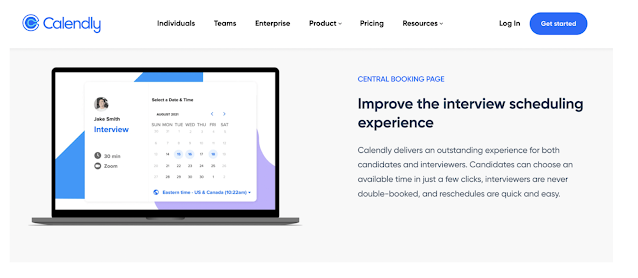
Calendly UX Research tool

Check Calendly> 


More: Airtable 

3 Months free Interaction Design Foundation


Recruitment management 

UserInterviews 

UserInterviews

Check UserInterviews>


More: Respondent.io


DISCLOSURE: This post may contain affiliate links, meaning when you click the links and make a purchase, we receive a commission.

Top UX Courses at Udemy


Data analysis 

Miro

Miro app

Check Miro>


Dovetail 

Dovetail


More:, Reframer, Reduct.video


Top UX Bootcamps by Interaction Design Foundation - $200 OFF


Agile & development sync

Jira

Jira app

Check Jira>

Share:
Continue Reading →

Tuesday, 4 January 2022

How to setup Usability Testing in Maze app


Maze Usability Testing Tool


Maze app 


Rapid, remote testing platform for agile teams, from idea to launch.
Maze empowers product and marketing teams to test anything from prototypes to copy, or round up user feedback—all in one place. Rapidly collect user insights across teams and create better user experiences, together. Works with: Figma, Adobe XD, InVision, Marvel & Sketch.


Before starting the preparation of Usability Testing setup in Maze app, make sure that you have prepared clickable prototype in Invision, list of features/use cases to be tested, scenarios and tasks descriptions and identified your targeted participants.


Steps to Setup Usability Testing in Maze App

Step 1 – Create clickable prototype in Invision and copy the public link.


Invision prototype


Step 2 – Import your prototype in Maze by pasting the prototype public URL and add New project.


Invision link


Step 3 – Create Missions (Imagine missions as tasks that end user will need to perform in Usability Testing). You can create a list of Usability Testing tasks for users and then define the success path/Optimal path. Make sure you provide proper clickable points in prototype and correct success page (where the task should get completed). The recommended Missions/tasks count is 5-7 per Usability Test Session per Person, but it always depends upon the task length as well. Do not overload participants with tasks, it may lead to mental fatigue and lead to errors/biases.


Setting up maze tool


Step 4 – Once you have created all of your missions (tasks), now you have reached to a stage where you can make your testing (Maze) live. By clicking ‘Send Live’ button at top-right corner, your Maze will be ‘live’ and you may get Usability Testing URL.
 Publishing Maze test


Step 5 – Always try and explore the testing URL and test setup by yourself. For this just become a test participant and go through the test using testing URL. If you find any changes in flow or any errors, correct them before reaching to actual participants.


Explore Maze app 


Rapid, remote testing platform for agile teams, from idea to launch.


UX Design certificate by Google


Share:
Continue Reading →

Wednesday, 15 April 2020

UX Webinar - Remote Usability Testing (Recording & Presentation)


We are happy to share the recording and presentation of webinar conducted on Remote Usability Testing for all. Over 100 participants registered for this webinar and thanks for making it a great success. Below are some highlights of the session:

Webinar outline 
- Remote Usability testing
- Pros - Cons of Remote Usability Testing
- COVID-19 situation
- Types (Moderated & Unmoderated) 
- Tools for remote usability testing
- Data from various tools
- Research plan
- Best practices
- Setup remote usability testing over Maze tool 


Webinar recording


Webinar Presentation 


Download the presentation  
In case if you need webinar presentation for reference, please write us at team@uxness.in 


Speaker 

Abhishek Jain
Design Lead UX Researcher at KPIT 
Co-founder of UXness
Meet, Abhishek Jain, Design Lead UX Researcher at KPIT Technologies & Co-founder of UXness with overall 8+ years of experience in UX research & design. He has been the speaker in various international conferences like CTI Automotive Diagnostics (Germany), International HCI (London) and international HMI (India). Apart from this, he has 6 international publications in UX, HCI and HMI conferences of IEEE, ACM, Springer etc. Abhishek has wide range of experience in conducting UX research internationally and globally. He has moderated various UX research for different products in various Geographies like US, Germany, Malaysia & India.

Email ID     LinkedIn


Share:
Continue Reading →

Monday, 31 December 2018

Getting started with Maze tool for Usability Testing


Learn Maze tool


Maze app 


Rapid, remote testing platform for agile teams, from idea to launch.
Maze empowers product and marketing teams to test anything from prototypes to copy, or round up user feedback—all in one place. Rapidly collect user insights across teams and create better user experiences, together. Works with: Figma, Adobe XD, InVision, Marvel & Sketch.


Analytics for Prototypes -  Maze is an online Usability Testing tool which can use high fidelity (Clickable) prototypes to prepare Usability Testing/Remote UT environment setup. Discover how real users interact with your prototype: define missions, collect actionable insights and analyze how your design performed, with 0 lines of code. 


Key Features of Maze

1. Direct Success
2. Indirect Success
3. Bounce Rate
4. Average Duration
5. Mis-click rate
6. Heat Map & Click Trail
7. Individual User Session Data

Lets Look at Maze tool


Direct Success, Bounce Rate, Misclick rate


User session data, Heat map, Click Trail


Explore Maze app 


Rapid, remote testing platform for agile teams, from idea to launch.


UX Design certificate by Google


Share:
Continue Reading →