Showing posts with label human behavior. Show all posts

Wednesday, 29 September 2021

10 Mobile app Design Principles


10 Mobile app Design Principles

Mobile app design guidelines


These guidelines will help in designing better mobile apps which will improve the overall user experience. Mobile is very powerful device and becoming as an important part of human life. So it is very important to design better, simple and interesting interfaces which helps people in their life and also bring satisfaction. some basic design principles are mentioned in the context of Mobile application.

1. Avoid designing long Menus in Mobile app

Long Mobile menus are the result of poor architecture and content grouping of application. It affects the ‘Decision Making’ of a User, also it destroys the importance of main function.  Group the functions properly and show the small menus with less no. of choices. 

Avoid designing long Menus in Mobile app


2. Select the right navigation system for your application 

Navigation is the important aspect of any mobile app because User follows the navigation pattern and finds the information. There are 2 types of navigation system given as follows,

Primary Navigation types 

- Hierarchical (Drill Down)
- Persistent 
- Sequential

Secondary navigation types

- Search
- Index Pages
- Quick Links
- Bread Crumbs
- Embedded Links


3. Web to Mobile transformation should be responsive 

Mobile websites should be responsive to provide an optimal viewing experience—easy reading and navigation with a minimum of resizing, panning, and scrolling—across a wide range of devices.


responsive mobile app


Share:
Continue Reading →

Monday, 4 January 2021

The Chunking way

Chunking


Have you ever tried to remember a very long number and that still resides in your head? I'm sure that might be a challenge in doing so!. Our brain works really hard to memorize certain things like remembering the huge and long information unless we practice a number of times or try to note down somewhere.

Why our brain is so snoozed at memorizing extensive things? 

Here are a few clarifications about our brain, how it is really going to work. Firstly, our brain consists of Long-Term Memory & Short-Term (Working) Memory. Now let us know, how exactly the human brain going to work on retaining memory. Basically memories are stored as the minute chemical changes at the connection points between neurons in the brain and this connection point is called as Synapses.

These fragments (synapses) responsible for storing and transmitting the information. The parts of the brain that receive these electric impulses are dendrites. Through this information or electrical impulses flow through the neural network of the brain. By this activity of the neurons, which in turn causes these connection points (synapses) to become stronger or weaker in response.


This process of strengthening, and weakening of synapses is how exactly the brain stores the information. And to have an exceptional memory, you may need to go through such flow of connections eminently, which in turn that it could be in that kind of process through neural networks. If the information has processed in this pattern for several times by creating a tracing a mark, that information could dwell permanently in our brain. In fact, in turn doing it, we are actually pushing information further from Short-Term memory to Long-Term memory. By doing so, we are indeed storing information as a memory.

Short-term memory is an essential step toward the next stage of retention for long-term memory. The effort taken to push information from Short-Term memory to Long-Term memory is a procedure, this is how the first information has to be stored in Short-Term memory.

It can only hold a little amount of information (typically around 7 elements or even less than that) in our mind, which is in turn a readily available and in the active mode for a short period of time, ranging between 10 to 15 seconds, or at max of one minute. Now the biggest challenge is how we can achieve it. Chunking is one of the methods which help us to retain the information in the brain.

What's chunking  or chunking psychology then? 

Chunking is the sequence of materials into shorter meaningful groups to make them further manageable. For example, a hyphenated phone number, split into groups of 3 or 4 digits, tends to be easier to remember than a single long number.

The maximum number of chunks that can be efficiently processed by short-term memory is four, more or less. For example, most people can remember a list of five words for 30 seconds, but few can remember only a list of ten words for 30 seconds.


DISCLOSURE: This post may contain affiliate links, meaning when you click the links and make a purchase, we receive a commission.

Top UX Courses at Udemy


Method of Chunking

It is the procedure of making more efficient use of short-term memory by grouping and organizing the pieces of information together. This can be used precisely only on the important information need to be chunked. If the short-term memory is stocked up, the new information will just fade away. 

Method of Chunking

When not to Chunk 

Well, Chunking is often applied as an ordinary technique to simplify method. This is a probable misdeed of the principle. That's the way it can lead to make things tough to scan. If the chunking is applied extensively, since the focus is on the group of items and not the individual items themselves. However, if you apply the concept in combination with other principles it can be used effectively to make more grouping easier to process. The limitations specified by this principle deal specifically with tasks involving memory. Chunk information could be available, when people are required to recall and retain the important information. And also when information is used for problem solving. Do not chunk information that is to be searched or scanned.

So, Designer needs to be smart enough while making decision wisely in chunking information.
 How do you chunk in your designs? Please share your thoughts. 

About Author

Srinivas Ramshetty is Ux evangelist and senior ux consultant at Intergraph. He played multiple roles in the areas of Competency Building, Managing & Leading Ux teams, User Research, User Interface Design, Interaction Design, Information Architecture, Usability Testing and Analysis across multiple business verticals while serving fortune 100 corporations. Srinivas is the certified Usability Analyst from HFI and pursuing Masters in Psychology.

Share:
Continue Reading →

Sunday, 13 December 2020

What Is The Subconscious Mind?


Do you remember when you tried to ride a bicycle for the first time?
Can you count the number of repetitions necessary to perform a flawless dance?
Have you ever tried to master a new musical instrument?
Most likely, firsts attempts to synchronize a new set of complex actions are always difficult. Once we become more skilled, these movements start to require less conscious awareness until everything begins to flow naturally.
All these automatic movements are guided by one of the most powerful inner forces which drives human behavior – the subconscious mind.

Subconscious Mind: Where Does It Hide?

It’s not uncommon to hear about conscious and unconscious types of actions when scientists talk about the brain. As a result, most of us are familiar with the idea that our behavior is less rational than we believe to be.
Whether we like it or not, our ability to control thoughts, synchronize movements, or experience emotions depends on the depth of information processing.


The idea of deeper levels of information processing was developed and extensively studied by famous Austrian psychologist Sigmund Freud (1856 – 1939) who introduced the 3 level mind model. According to his model, the mind could be divided into following levels:
  • Conscious – defines all thoughts and actions within our awareness.
    • For example, the beauty and pleasance of the smell of a red tulip
  • Subconscious – defines all reactions and automatic actions we can become aware of if we think about them.
    • For example, our ability to drive a car: once we get skilled we stop thinking which gears to use, which pedals to press, or which mirror to look at, yet can always become aware of what was done once we think about it.
  • Unconscious – defines all past events and memories, inaccessible to us no matter how hard we try to remember to bring things up.
    • For example, the first word we’ve learned to say, or how it felt to be able to walk on our own.
Do you find the information useful so far?
Then share the article on Facebook and help others discover more about the subconscious mind!

Scientific Detection of the Subconscious Mind

Up to this day, the ability to explain how the interaction of different levels of thoughts influences our behavior remains one of the most compelling challenges in psychology and neuroscience.
In order to untangle how one level of thought influences the other, scientists must become able to detect different depths of the mind.
Quite often, the levels of information processing could be captured using priming paradigms. For example, a recent psychological study showed how irrelevant cues shape learning and suggested that the effect of conscious, subconscious, and unconscious thoughts can be modeled varying presentation time of emotional faces.
In this experiment, participants were presented with a set of pictures of human faces and were asked to determine whether the facial expression in a previous picture mimicked the same emotion. 
Interestingly, results showed that people were able to correctly recognize the difference between facial expressions if pictures were displayed for at least 0.047s. Once the duration of pictures was decreased to 0.027s – 0.033s, the rate of correct responses dropped by approximately a half. In contrast, respondents became unable to discriminate the facial expressions if the duration of the stimulus was decreased even more – to 0.020s.
This way, research demonstrated clear differentiation of conscious and unconscious influence of thoughts: people were only able to give error free answers if the picture could reach the level of conscious awareness. 
More surprisingly, duration of pictures, shown for as long as 0.027s – 0.033s, couldn’t be sufficient for stimulus verbalization at the level of conscious awareness, yet had a measurable influence on behavior.

DISCLOSURE: This post may contain affiliate links, meaning when you click the links and make a purchase, we receive a commission.


Specifically, the rate of correct responses decreased just by half, meaning that participants were still partially able to provide with correct responses and indicated the presence of subconscious mind.

Activation of Brain Regions

You might get curious whether the brain activation differs when we experience an influence of subconscious versus conscious mind. You might want to know why conscious thoughts are often processed slower than unconscious thoughts.
Or might question whether scientists can define exact processing pathways of such tiny subtle concepts as subconscious thought.
Until recently, it was impossible to capture where in the brain these thought processes occur or visualise specific brain activation regions. However, the rise of brain imaging methods allowed researchers to study thought processing pathways by providing an opportunity to picture changes in the neuroanatomy of a brain.
Today, brain imaging research has indeed supported Freud’s model of mind and suggested that the depth of thought depends on its processing pathway. In particular, studies (study1study2) showed that the pathways of conscious and unconscious thoughts can be clearly differentiated.
In contrast, the pathway of the subconscious mind is much difficult to define. In fact, subconscious thoughts do not seem to have their own processing pathway. Rather, they share the bits of both – conscious and unconscious – routes of information processing.



Simpler Way to Harness the Power of Subconscious Mind

You might want to define the influence of subconscious thought if you are interested how its presence shapes consumer behavior. While only a few of us have an extensive scientific background, access to research laboratories, and sufficient funds to run these types of studies, it’s incorrect to assume that there’s no other way to harness the power of subconscious mind.
As a solution, iMotions offer a cutting edge platform allowing to address such challenges of research. Please check this link for more information.
 Reference: https://imotions.com/blog/what-is-the-subconscious-mind/

Check this article: Subconscious Mind | 9 Facts You Should Know

About Author


Share:
Continue Reading →

Monday, 16 March 2020

How not to get UX work impacted due to coronavirus

Remote work from home due to coronavirus


In this epidemic condition due to coronavirus spread across world, many such great measures and precautions are taken by people. Many countries has also provided the guidance related to work, travel and personal safety, alongside many IT companies have also released advisory for working remotely, taking hygiene at work and avoiding travel unless really necessary. When it comes to the work of UX, designers, researchers and other UX professionals there are some ways where personal safety and health measures can be taken without having great impact on work. Today, I would like to share some tips which can be helpful for UX professionals in this condition. 

1. Conducting UX activities remotely
It is better time to utilise and maximise the remote research activities such as remote Usability Testing, remote user interviews. Team can also focus on usability inspection reviews, expert reviews, Behaviour analysis using analytics tools and web log. There are some great tools available for remote UX research such as Maze, UserCrowd, Usabilla, UserTesting, Hotjar, Mouseflow, Clicktale etc.


Usability Testing Template


2. Taking job interviews over video
Job interviews for designers/ researchers can also take place over video calls. Some great resources such as Bluejeans, WebEx, GoToMeeting etc for video calls and interviews.


3. Collaborating with teams remotely
Team collaboration is indeed needed for effective work execution, which can also be taken with team collaboration platforms such as Microsoft teams, Slack, Jira (activity tracking and planning), Workplace by Facebook etc.


4. Utilise time for learning via e-learningIndividuals can also utilise this time in enhancing their skills with being safe using online learning portals. Explore UXness UX course catalog, courses identified from Interaction Design Foundation, Udemy, Coursera etc.


5. Proper use of freelancers
For companies or individuals who need support from designers can also use freelance portals and get the work done remotely. Some useful platforms like Fiverr, Upwork, Toptal etc.


Be safe and let’s fight with coronavirus. 
Also, feel free to share your views and more guidance. 

Share:
Continue Reading →

Tuesday, 29 October 2019

How Whatsapp uses the Fogg Model to fight against fake news


Whatsapp logo


Few months back there was an update in Whatsapp which has some key new & surprising features like ‘Limiting the number of people selection while forwarding’ and ‘showing tag of “Fw” in forwarded messages’ etc. These were basically focused on reducing the spread of rumors and fake news. Some of us might have also felt an irritating experience due to these in festival season while sending wish messages to our friends and relatives, but there is no doubt that these updates have helped in meeting the core goals in fighting against the Fake news spread. 

Being UX Designer & Researcher, one question should always come to your mind that how this solution is helpful? On which basis this has been thought and implemented. Well, let’s try to decode this. Sending a message to some friends/relative/groups in one go is also a behavior and If that message contains any news or facts which are Fake and can help in spreading rumors then this behavior needs to be controlled.  


When it comes to behaviors and changing habits, a great Behavior Scientist & Author B.J. Fogg has the answer. Fogg was the first scientist to articulate the concept of "captology", or the study of how computers can be used to persuade people to change their attitudes or behaviors. Fogg has presented the Fogg Behavior Grid, which describes the 15 ways to change the behavior. 

Fogg Behavior Grid

Fogg Behavior Grid


To reduce the bahvior of spreading Fake News and Rumors using Whatsapp can be achived using ‘Gray Path Behaviors’. Lets look in to this. 


Gray Path Behavior

If you want someone to reduce a behavior for the long term, you are seeking a Gray Path Behavior.

Examples include:
  • Health: Eat less often at restaurants.
  • Environment: Use less water when showering from now on.
  • Commerce: Stock up on fewer products to reduce waste.

In a typical case, the behavior being reduced is not desirable, but stopping the behavior completely may not be practical or possible. That’s when Gray Path is the appropriate target behavior. To achieve a Gray Path Behavior, all successful interventions work by altering at least one element from the Fogg Behavior Model:

  • Remove the trigger that leads to the undesirable behavior
  • Reduce ability to perform the behavior (make it harder to do)
  • Replace motivation for doing the behavior with de-motivators:  pain, fear, or social rejection

Fogg Behavior Grid Gray Path Model


UX EBOOK FREE


Gray Path Behavior Model in Whatsapp

Whatsapp has tried to make forwarding of messages to multiple recipients harder by giving a limit of recipients to 5. This is the ‘Reducing the Ability’ which leads to reducing the probability of behavior to be successful. Also, tag of ‘Fw’ in the message reduces the credibility of facts and news. It may also impact negatively in making personality of Sender in Recipient’s eyes, resulting decreasing in motivation as well. 

Fogg Behavior Model is a great tool in making & breaking behaviors & habits. Having said that it should be tactfully & carefully used. 


UX EBOOK FREE


References: 


Author

Author Image

Design Lead UX Researcher

Share:
Continue Reading →

Sunday, 14 February 2016

Gamification – Basic understanding

What is Gamification

Gamification is the use of game thinking and game mechanics in non-game contexts to engage users in solving problems. Gamification is used in applications and processes to improve user engagement, return on investment, data quality, timeliness, and learning.

Why people play games?


Game elements

What all games are having….

Game mechanics

Important game mechanics which we can apply in non- game systems

- Point system


- Levels


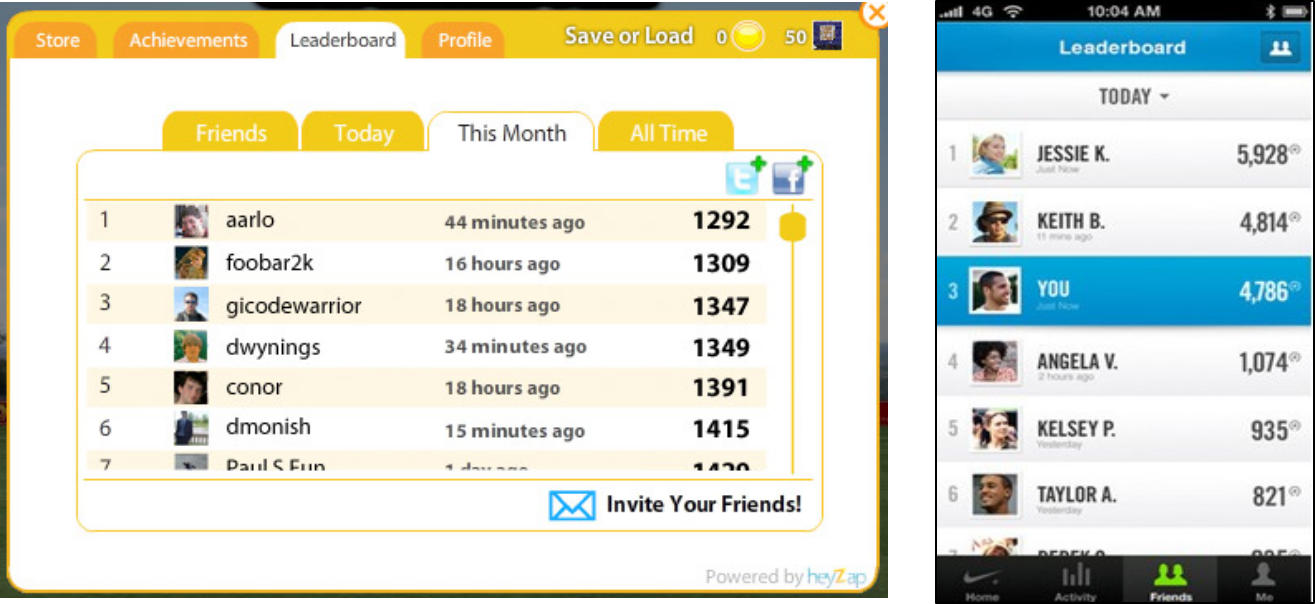
- Leader boards


- Badges

- Challenges & Quests


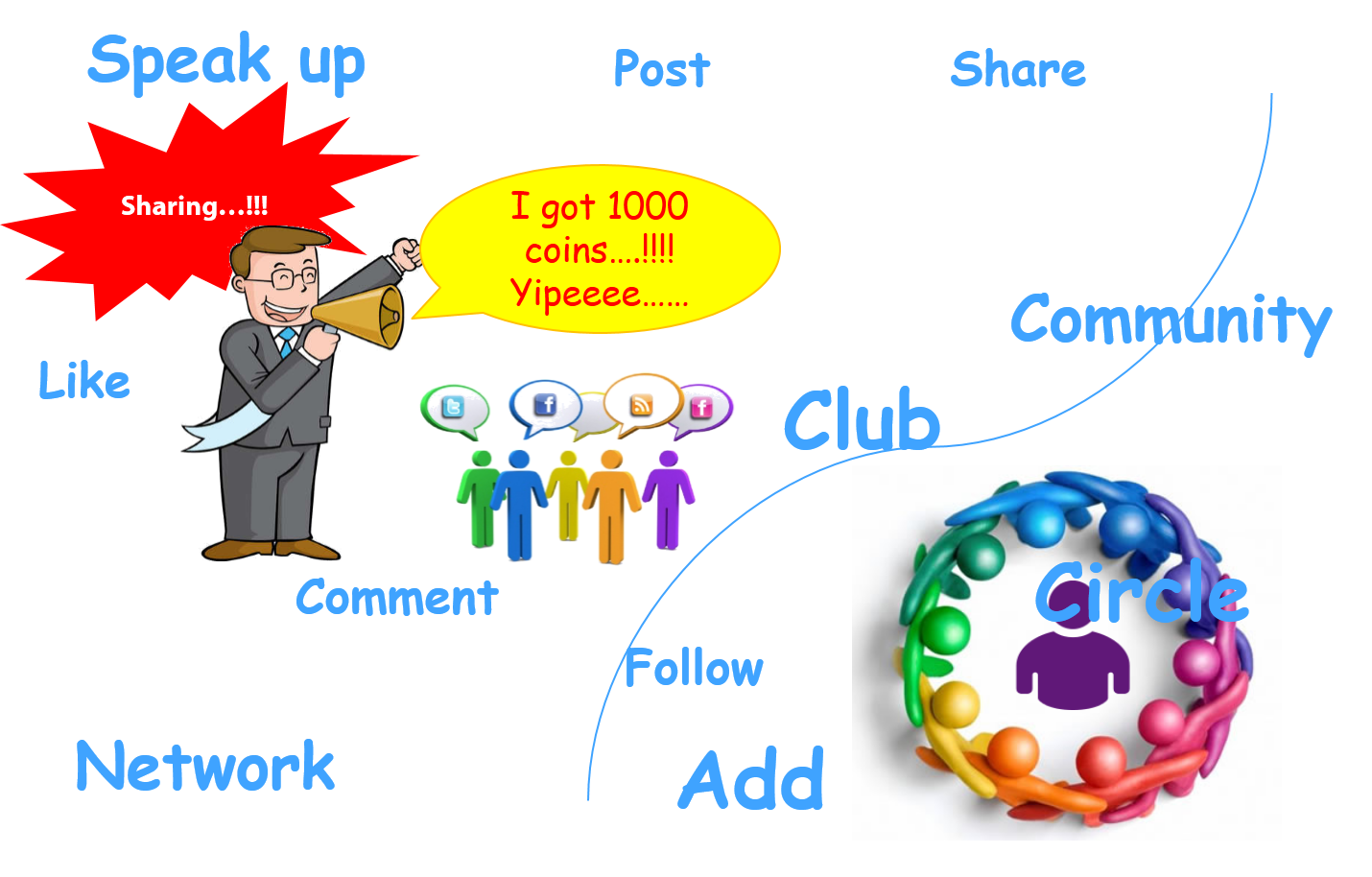
- Social Engagement loops

Benefits of Gamification

  1. Motivations and long term user engagement and loyalty.
  2. Making things more pleasurable in interaction, process  and in system.
  3. Helps in creating brand connection with user in a meaningful and interesting way.
  4. It can be used with different roles like User, customers, employee and different scenarios like user engagement, personal motivation.         
  5. Helps in converting complex system in to simple and interesting system.

Where we can apply Gamification Techniques

  1. Apply gamification techniques in New System to make it  more easier to learn.
  2. To improve any process like, appraisal, Filling Time Sheet.
  3. To motivate user to perform any task.
  4. In improving working efficiency and process improvement.


About Author

Abhishek Jain (User Experience Designer)


Share:
Continue Reading →

Sunday, 15 November 2015

UX Strategy (Part 1)

What is Strategy ? 

Strategy According to Henry Mintzberg …
  • Strategy is a plan, a "how," a means of getting from here to there.
  • Strategy is a pattern in actions over time; for example, a company that regularly markets very expensive products is using a "high end" strategy.
  • Strategy is position; that is, it reflects decisions to offer particular products or services in particular markets.
  • Strategy is perspective, that is, vision and direction.


Hierarchy of Strategy 

1 ) Business Strategy 

Business strategy is a long term plan of action designed to achieve a particular goal or set of goals & objective.

2 ) Brand Strategy 

Brand strategy is how, what, where, when and to whom you plan on communicating and delivering on your brand messages.

3 ) Product Strategy 

Product strategy is defined as the roadmap of a product. This roadmap outlines the end to end vision of the product and what the product will become.

4 ) UX Strategy 

UX strategy is about how design will help the business win in its strategy by providing value to customers in a uniquely meaningful way.

Introduction to UX Strategy

  • UX strategy is the set of choices to reach a desired position over time.
  • UX strategy is about how design will help the business win in its strategy by providing value to customers in a uniquely meaningful way.
  • Keep in mind that this document is based on assumptions. In order for a design strategy document to truly facilitate a user-centered design process, those assumptions must be validated and informed by user research.

Defining UX Strategy

Before staring with any design work, try to find answers to these 2 questions : 
  • What do we want to get out of this product/Service ?
  • What do our users want to get out of it?
The first question helps in understanding the product/Service  objective while second question helps in understanding user needs.

Elements of UX Strategy

Business (Viability )

What will sustain the business ?
  • Business goals
  • Branding Goals
  • Success Metrics

People (Desirability) 

What do people need ?
  • Target Audience & Needs
  • User Goals & Task

Technology (Capability)

What can we build ?
  • Constraints


In this part we have looked what the strategy is,what is the hierarchy of strategy,introduction & definition of UX strategy , elements of UX strategy .In the future post we will dive deeper into the elements of UX strategy .
Till then enjoy reading .
Author: Shiva Subhedar (@UXDShiva)
Share:
Continue Reading →

Tuesday, 26 May 2015

How to conduct Heuristic Evaluation


Heuristic principles

heuristic evaluation is a usability inspection method for computer software that helps to identify usability problems in the user interface (UI) design. It specifically involves evaluators examining the interface and judging its compliance with recognized usability principles  (the "heuristics ").

It is really necessary for any Usability analyst/ UX designer to know proper way to conduct 'Heuristic Evaluation'. lets see the process step by step.

1. Understand Participants and Facilitators 

First step in conducting Heuristic Evaluation is finding 'Participants' who will be contributing actively in this process. Generally design team members/ domain experts / stakeholders becomes participants for H.E. Facilitator is the person who manages and conducts this process and prepares evaluation reports. (Recommended 'Participants' counts 3-5) 

Make sure all the Participants understand Heuristic Principles, if not brief them about Heuristic Principles.


2. Prepare use-cases 

For conducting H.E. prepare the use cases of primary features of application. Use cases should be real scenarios in which application is currently being used. You can conduct H.E. of any kind of application like, website, mobile website, mobile or tablet app etc. 

3 Months free Interaction Design Foundation


3. Prepare Participant's and Facilitator's sheet 

Now your task is to prepare Participant's sheet and Facilitator's sheet. Both the sheets are same but being used at different steps. Sheet includes below mentioned fields,
- Use cases
- Problem description
- Severity 
- Heuristic Principles affected

Ex. of a sheet is shown here,

Heuristic Evaluation template


4. Individual Evaluation 

Now ask your participant to use application on the basis of use cases mentioned in 'Participant's sheet' twice or tries. While using the application if they find any problem or finding then ask them to make a note. Also ask them to provide 'Severity' rating to each problem they found and associate with affected heuristic principles. 
Severity rating scale
1 - Cosmic or minor problem
2 - Moderate problem
3 - Major problem
4 - usability disaster  
Perform this step with all the participants individually.

Top UX Courses at Udemy


5. Sit together and consolidate findings 

Once all the participants have evaluated application individually now we start the 'Group activity'.
Ask all the participants to tell their findings/problems with severity and discuss about it. This step will provide you unique problems and finalized severity.
Now you have problems, severity and heuristics principles which are affected.

Now next step is reporting and presenting the insights from this activity.


Share:
Continue Reading →