Showing posts with label balsamiq. Show all posts

Wednesday, 15 February 2023

Trending Wireframing & Prototyping Tools of 2023


Trending Wireframing & Prototyping Tools of 2023


Wireframing is a design method used in the early stages of creating a user interface (UI) for a product, such as a website, mobile app, or software application. It involves creating simple, low-fidelity representations of the layout, structure, and interactions of a product. These representations, called wireframes, are used to communicate the design intent and to test usability before committing to a final design.

The main goal of wireframing is to establish the structure and layout of the interface in a quick, simple, and efficient way, while also allowing for testing and iteration.


Based on our analysis of UX design tools survey 2022 results (2nd UX Tools Survey campaign) the top rated Wireframing & Prototyping Tools are there:


To see the full report  Check 2022 UX Tools survey report


Figma:  This is a browser-based tool that allows real-time collaboration and editing, and it is perfect for a design team to work on wireframes and prototypes together.

Key features:

  1. Collaboration: Figma allows for real-time collaboration, where multiple people can work on the same design file simultaneously, and it also allows for easy version control and commenting.
  2. Prototyping: Figma allows for easy prototyping, where you can create interactive wireframes and mockups, and also allows to test the design with stakeholders.
  3. Components: Figma allows you to create reusable components, such as buttons, forms, and navigation, which can be easily updated across multiple pages.


Explore Figma



3 Months free Interaction Design Foundation


Adobe XD: This tool is part of the Adobe Creative Suite and it's a vector-based design and wireframing tool that allows designers to create wireframes, interactive prototypes, and high-fidelity designs all in one program.

Key features:

  1. Design: Adobe XD allows you to design high-fidelity, polished interfaces using vector-based design tools, similar to Adobe Illustrator.
  2. Collaboration: Adobe XD allows you to share your designs with stakeholders, clients, and team members and get feedback in real-time.
  3. Built-in UI kits: Adobe XD comes with built-in UI kits for popular platforms such as iOS, Android, and Windows.

Explore Adobe XD


Sketch: This tool is a vector-based wireframing tool that's used primarily by web and app designers. It's designed to be used in conjunction with other tools in the Adobe Creative Suite, such as Photoshop and Illustrator.

Key features:

  1. Plugins: Sketch allows developers to create plugins to enhance the functionality of the tool.
  2. Platform independent: Sketch is a Mac-based tool, which means it can be accessed only from a Mac device.
  3. Sharing: Sketch allows you to share your designs with stakeholders, clients, and team members with a single click.

Explore Sketch


3 Months free Interaction Design Foundation


Axure: This tool is a more powerful wireframing tool, with advanced features such as built-in prototyping, collaboration, and documentation capabilities.

Key features:

  1. Interactive elements: Axure allows you to add interactive elements such as buttons, forms, and navigation, which can be used to create realistic and interactive prototypes.
  2. Platform independent: Axure is a desktop-based tool, which means it can be accessed from any device, and it doesn't require an internet connection.
  3. Plugins: Axure allows developers to create plugins to enhance the functionality of the tool.

Explore Axure


Balsamiq: This tool is known for its simple, sketch-like interface and easy-to-use drag-and-drop functionality. It's ideal for creating quick and rough wireframes.

Key features:

  1. Collaboration: Balsamiq allows you to share and collaborate on wireframes with stakeholders, clients, and team members in real-time.
  2. Built-in UI elements: Balsamiq has a library of built-in UI elements, such as buttons, forms, and navigation, that can be easily added to wireframes.
  3. Sketch-like interface: Balsamiq has a sketch-like interface that makes it easy to create quick and rough wireframes.

Explore Balasmiq


To see the full report  Check 2022 UX Tools survey report


3 Months free Interaction Design Foundation


Share:
Continue Reading →

Saturday, 1 October 2016

How to Get Started in UX/UI Design?

As most UX designers may tell you, there is no prescribed path to becoming a UX designer. Some designers may start with degrees in arts, others were trained in architecture school, while some even came from entirely different professions. Not a few designers have been broken into this field without any formal training, with a genuine empathy for others and the belief of making lives better through design.

However, it’s not easy to land an entry-level UX position, and many new-comers may get lost by the interchangeability of design terms, like UX and UI. So before diving deeper into starting a career in UX, let’s take a quick look at the two different terms in below.        

 What Is UX/UI Design?


At the very start, let’s define UX & UI design before moving on to our point: 

UX Design (User Experience Design) - is all about enhancing user satisfaction and designing the complete user experience. UX requests a solid understanding of sociology, psychology as well as design to identify and address the real user problems. Also it requires tactical skills, including concept iteration, user research, prototyping and usability testing. One of the most critical skills for UX designers would be communication.

 UIDesign (User Interface Design) - is all about selecting the right interface elements, such as text fields, buttons, check boxes and drop-down lists, to create the tangible interfaces that users can readily understand and easily use. In small-sized companies, UI designers may conduct the entire process from user flows to hi-fidelitymockups; In large-sized companies, they are likely to specialize more in defining the layout of an app or website (that’s what we call “Sketch” or “Wireframing”).  

UX UI Branding


The ultimate goal of UX and UI design is making the user’s interaction as time efficient and simple as possible. Also the lines between UX and UI designers are always blurred in accordance with different company size and demands. For more information about frequently confused design terms, like UX, UI, IA, IxD, here is another post for your read.


 How to Become a UX Designer?


There is no need to repeat others’ career path, and below are some practical advices for those who are thinking of stepping into UX design industry.

1. Get Yourself Educated

This does not mean you have to go invest in a university degree, but a formalized education won’t hurt. There are may higher education UX courses and programs out there, while it’s not a necessary step to break into the UX field. Just as one UX expert put: “If you are a ‘lifelong learner’, in other words, if you are paying attention, you will be able to take previous experience and apply lessons learned from them to your new situation. That is more important to me than specific skills you might learn in school.”

Education


Here is a comprehensive list of recommended ebooks, which would form a good starting point. On a more informal level, you can take participation in various online courses, and following are some recommendable learning resources.

Interaction Design Foundation The Interaction Design Foundation is an educational organization which produces open content and Open Access educational materials online with the stated goal of "democratizing education by making world-class educational materials free for anyone,

General Assembly - They specialize in today’s most in-demand skills, offering a complete program in UX design. It’s possible to take different kinds of workshops and classes, as well as attend as a part-time or full-time student. 

 DesignLab - An authorized design program that would pair students with experienced mentors. Their courses vary between 4-6 weeks and charge around $300.

Udemy - As a competitor to Lynda, their pre-course pricing makes it a great supplement to designer’s education. There are some free pre-introductory courses there.

Lynda - All courses on the site have good reputation, requiring you to subscribe before accessing them. There is a 10-day free trial and the pricing goes from $25/mo.

Fundamentals of UX Design - It’s coming from Tuts Web Design, consisting of sixteen 2-hour lessons at the fee of $15.

UX Apprentice - Cost-free courses and learning resources for anyone who is looking to learn the basics.


UX Courses Online


Aside from articles and online courses, you can also engage in design communities, ranging from visual design websites like Behance and Dribbble, to more comprehensive websites, like UX Magazine. Being a part of a community will make self-learning less intimidating and you can get inspired by others’ creative ideas. More websites and blog resources to get you educated. 


2. Take Advantage of the Right Tools

Since you have learned the fundamentals, you still need to practice your knowledge under real environment. UX design is not just working in front of a screen, and you have to be taught how to create interactive wireframes and conduct usability testing sessions. Both require software to achieve. Considering of ease-of-use and included features, here are the most recommended tools:

 Axure


Established in May 2002, Axure is considered as the standard in interactive wireframe software and recommended for professional designers looking for sophisticated prototyping capabilities. It does help user experience professionals, product manager and business analyst as well, but is far from an ideal choice for beginners for its steep learning curve.


Axure

 Justinmind


As a flexible prototyping tool, Justinmind supports multi-platforms and can work well for simple click-through prototypes or complex interactions. The device-specific templates and gesture-based interaction set it apart from other tools. However, the free version is somehow  limiting and its moderate learning curve still keeps many first-time users away. 

Justinmind


UX EBOOK FREE


 Balsamiq


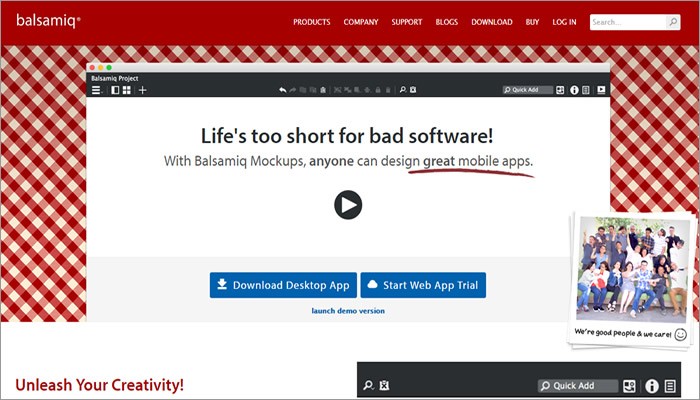
Founded by a former senior engineer of Adobe in 2008, Balsamiq has appeared to be one of the best wireframing program providers in the industry. As is advertised “Life is too short for bad software”, Balsamiq Mockup allows simple elements and fast design creation for websites & mobile apps. It may have a top limit on the quality of created mockups and the lack of template window is another downside.

Balsamiq


InVision


InVision is a US-based company that takes many useful customization and import options from Marvel, with more collaboration features included. A highlight is you can share completed mockups through the in-built LiveShare tool, which is more effective than sending a .PDF file. While this viewer app is only compatible with iOS devices like iPhone and iPad, with no support for Android and Windows Phone. 

Invision


Mockplus


Developed by a team of passionate developers from the orient, Mockplus is a relatively new player in the industry. It’s a rapid prototyping tool to turn design ideas into functional prototypes faster, smarter and easier. It’s visualized interactions and drag-and-drop UI largely simplify the design process and keep designer focused on the graphic quality and content. Live preview can be achieved by scanning QR code and the most recent 2.19 version will add 3000 vector icons. Its educational offer is awaiting for fresh minds.  

Mockplus


Beyond any doubt, there will be other alternatives on the market, with both pluses and minuses existing the same time. For those who are in need of testing and analytic tools, here are the recommendations:


A/B Testing Tools, which aim to help test one or multiple elements on certain page to see which received the most action. These types of tools can be purchased on monthly basis. Some popular choices are A/B Test Master, Intuition, UsabilityTools. 
Web Analytics Tools, which give you better understanding of website traffic and visitor behavior from both optimization and conversion perspective. Google Analytics is my tool of choice.
User Feedback Tools, which enable you to gather user information and feedback. Some general tools include Mechanical Turk, UsabilityHub and Ethnio.


3. Find Yourself a Mentorship

Mentoring is rewarding, and a high-quality mentorship can be an important part of a designer’s growth process. You don’t need to catch up as often with a potential mentor, but try to soak up everything that an experienced UX designer can offer you when talking on Skype or taking a quick coffee.

Finding UX Mentor

It may be daunting to find a mentor as UX professionals are always busy, but you may find a mentor through some communities you join or some courses you take. Take a look at this article on how to find your design mentor and also consider whether you want to pay for a mentorship service. It’s true that almost anyone you respect can serve as design mentor, and just talk to everyone you can and be open to different opinions.   


4. Get Some Experience & Hired

No one can become a successful UX designer without building things. Almost every UX designer starts with some jobs to practice their skills. That’s where online portfolio comes in handy. Just like a UI designer would have an A3 portfolio that shows posters, logos as well as t-shirts designed by himself, you need to present examples of your created deliverables.

Interview

It’s great to propose an apprenticeship or internship at a company, and your portfolio will be a great help that tells a story about the process you follow will be a great help. Generally, the more you’ve learned, the more opportunities will open up for you. This could be a virtuous cycle in which you can learn and grow. 

 Bottom Line


At last, here’s a quote written by Ivan Glass to share with all people who have been planning or just wondering to break into the UX world. Enjoy the ride!

"Nobody tells this to people who are beginners, I wish someone told me. All of us who do creative work, we get into it because we have good taste. But there is this gap. For the first couple years you make stuff, it’s just not that good. It’s trying to be good, it has potential, but it’s not. But your taste, the thing that got you into the game, is still killer. And your taste is why your work disappoints you. A lot of people never get past this phase, they quit. Most people I know who do interesting, creative work went through years of this. We know our work doesn’t have this special thing that we want it to have. We all go through this. And if you are just starting out or you are still in this phase, you gotta know its normal and the most important thing you can do is do a lot of work."
Please comment below if you have any further thoughts or suggestions to share. 

About Author

Berry Sarah
Email: bleachmizu@gmail.com


                                   Explore more UX Courses >>


Share:
Continue Reading →

Wednesday, 27 July 2016

Basic UI/UX Design Concept Difference Between Wireframe & Prototype

The terms of ‘wireframe’ and ‘prototype’ are always get confused by designers, despite the experienced designer, possibly due to the misunderstanding or some other reasons. Actually, the concept between the two terms is quite obvious and different. Now, let’s distinguish the two terms clearly.

What is a Wireframe?

Wireframe is a low fidelity layout of the design which has 3 simple but direct targets:
1. Presents the main information group
2. Draw the outline of structure and layout
3. Vision and description of the user interface 

It will be your product’s main structure after you created a wireframe correctly. Just like the blueprint of a building, it describes details clearly and specifically.

Visual features of wireframe


Wireframe exists very obvious visual limitations. In general, designers only need to use lines, boxes, and gray color (different grayscale indicates the different level) to complete.

Simple vector wireframe

The content of a simple wireframe should include pictures, video, and text etc. Thus, the omitted will be replaced by a placeholder, picture be instead by a shaded, and text will be replaced by some symbolic words according to the text layout.
Advantage of wireframe

The building of wireframe is fast and cheap, especially if you use these prototyping tools such as UXPin, Mockplus, Balsamiq, and Axure. Of course, you should use these tools to do it at the very beginning.

Compared with a complete and detailed high fidelity wireframe, gathering feedback is much more important. Why? Because people pay more attention to software functionality, information architecture, user experience, user interaction flowchart, and it’s usability, rather than considering the aesthetic characteristics of these elements. Meanwhile, in this case, you can easily modify it according to demand, but not need to adjust coding and graphic editing.

Interactive wireframe


Sometimes, designers prefer to improve the fidelity of wireframes to enhance the importance of user interface at some aspects and display the rationality of interaction between fast test and the visual elements. Program to address these problems properly is using interactive wireframe, also known as the clickable wireframe.


If you want to create such a complicated wireframe, then you need UXPin, which is a tool for wireframing and prototyping design. Interactive prototyping may be the best presentation to developing team and clients. When you came across the problem that “what it will happen when I clicking this button?’’, you just need to click and show to your clients how it works on the interactive prototyping. Indeed, it’s quite impressive and direct.

Show wireframe cautiously

You must be cautious about the guy who is totally a layman when you need to present your wireframe to him. He may be your client, also may be a non-technical manager took part in the cooperation. But he does not know the truth that the wireframe and the final product may seem unrelated. So, he may not understand the intrinsic link and operation mode between them. Thus, you need to figure out a proper decision whether you need to present and how.


This is an app user operation flow chart sketched by Fernando Guillen. Of course, it’s undoubtedly the early design version.

A wireframe is the most important part of a design. When you saw this flow chart, you’ll understand why it’s time-consuming to explain what is called wireframe and why we need to use wireframe. Or, you just skip this step.

Prototype

The requirement of a prototype is higher than wireframe/interactive wireframe, it must be a high fidelity prototype which is interactive and fit the final user interface as much as possible.

The target of prototypes is quite obvious: to simulate the interaction between user and interface as realistically as possible. When a button is pressed, the corresponding operation must be carried out, and the corresponding pages must appear, try the best to simulate a full product experience.

Visual features of prototype


Undoubtedly, the prototype must include the aesthetic features of a product that should have, and try to fit the final version. Basically, it’s a skin of a product, no HTML/CSS/JS involved, and not necessary to consider the server and database.

Advantage of prototype

Why it’s so important? Because prototype is usually used for users to test product. Prototype test at the very early stage can save a lot of developing cost and time. So that it won’t waste the effort of back-end product architecture due to the unreasonable interactive interface. So, prototype is a perfect progress to test product for designers and developers.

Besides, providing prototypes with users to collect feedback, that’s benefit to have an insight into all the details of your product, and inspire the whole team. Many of the prototyping tools can build prototypes quickly and efficiently, but no coding needed.

Design flow

After you have insight into the essence of design and known the difference between wireframe and prototype, you are standing in front of the user experience design world.

If you can concrete the series of product design into a cohesive and effective work flow, amazing thins will happen.

Tips

Try to use editable and reusable elements when make wireframe. In that case, you just continue to refine the elements to complete prototypes based on wireframes.

When you make wireframes, try to gather thoughts and opinions from your team and clients, and try to reflected them on wireframe designs.

Use your most handy tool.

UXPin


UXPin has built more than 900 kinds of different UI elements for you to create wireframes and prototypes.

Proto.io


Proto.io is a very robust prototyping tool, and it can export HTML / CSS code based on a prototype, and interactive prototype for touch screen, which allowing users to test on actual devices.

Balsamiq


A popular long-lasting wireframe tool only for static wireframe.

Moqups


This tool supports to make wireframe directly online.

Mockplus


Mockplus is the all inclusive prototyping tool for fast interaction, fast design, and fast previewing. It allows to create mockups for mobile (Android & iOS), Desktop(PC & Mac) and web apps. 

Axure


As a most popular wireframe & prototype design tool, do we need more introduction of this tool? I think no.

Protoshare


This tool also can make wireframes & prototypes online.

InvisionApp


This tool can help you create usable prototype, you cannot draw anything, but you can add links between different screens.


About Author

Grace Jia
Prototyping tools, UI&UX news & information, article sharer, writer.
Email: grace@jongde.com 
Web: Mockplus
Share:
Continue Reading →